NetSkill Wins Google For Startups Grant Of $350k!
Learn More >Building Practical SAP Analytics Cloud Capability for Analytics and Planning at Linxon
Overview
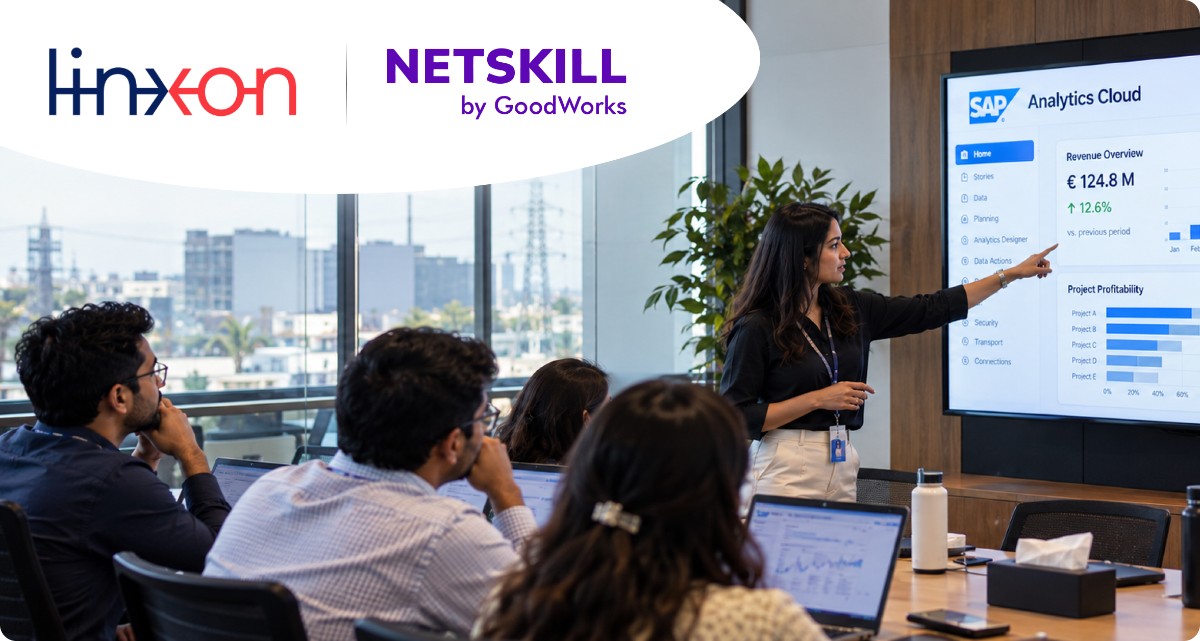
As Linxon looked to make better use of its data for reporting and planning, it partnered with NetSkill to deliver a hands-on SAP Analytics Cloud (SAC) training programme. Delivered as live, instructor-led virtual sessions between late July and early August 2026, the programme took participants from the foundations of data modelling, through story and dashboard design and interactive analytical applications, to enterprise planning, automation and governance. The trainer also adapted the programme during delivery in response to participant feedback, placing more emphasis on business capabilities and practical outcomes.
The Challenge
Business users who depend on analytics and planning need to understand what SAC can do, how models and dashboards are built, and how to express their requirements clearly to the people who develop them. Linxon’s participants needed a practical route into the platform that would let them:
- Understand how SAC models, measures, dimensions and data imports work
- Build and style stories and dashboards that are easy to navigate and interpret
- Use interactive features such as filters, bookmarks, pop-ups and dynamic content
- Set up planning models, versions and automated data processes for finance and project planning
- Manage planning governance, scheduling and data security
- Communicate dashboard and planning requirements effectively to developers
Rather than learning features in isolation, Linxon wanted participants to see how each capability connects to real reporting and planning scenarios.
Objectives
The learning initiative aimed to:
- Build a solid foundation in SAC data modelling and data preparation.
- Develop skills in designing stories and interactive analytical applications.
- Introduce planning models, versions, Data Actions and allocation workflows.
- Show how to automate and govern planning through calendars, Multi Actions, Job Monitor and Data Locking.
- Align the depth of technical content with participants’ roles as business users.
- Equip participants to define, request and evaluate SAC solutions with confidence.


The Approach
- A Structured Five-Session Learning Journey
NetSkill designed the programme as a progressive journey across five live sessions. Each day built on the previous one, moving from model foundations to storytelling, then to interactive applications, and finally to planning and administration.
- Instructor-Led, Hands-On Delivery
The sessions were delivered by an instructor through live demonstrations, guided practice and open discussion. Features included:
- Live demonstrations in SAP Analytics Cloud
- Configuration practice on models, stories and planning scenarios
- Participant questions and discussions throughout each session
- Recaps of earlier sessions and responses to participant queries
- Business use cases drawn from finance, sales and project planning
- Key Topics Covered
Day 1 – Modelling Foundations
- Analytical and planning models, and classic versus new model types
- Measures (calculated and restricted) and dimension types
- Data wrangling functions and smart transformations
- Level-based and parent-child hierarchies
- Data import and update methods: update, append, and clean and replace by version or scope
Day 2 – Stories and Dashboards
- Responsive and canvas pages, and optimized stories
- Pages, lanes, styling, templates and custom resolutions
- Charts, filters, input controls, dynamic text and hyperlinks
- Bookmarks, personalised views, comments and collaboration
Day 3 – Interactive Analytical Applications
- Model and data-quality validation before development
- JavaScript fundamentals and SAC scripting concepts
- Chart-to-chart filtering, pop-ups, tooltips and custom messages
- Scripting error panel and debugging
- Currency conversion: exchange-rate tables, booking and fixed dates, and measure settings
Day 4 – Planning Models, Data Actions and Allocation
- Multi-page analytical application design with cascading filters and variance reporting
- Building planning-enabled models and loading data through Data Management
- Dynamic time calculations: MTD, QTD, YTD and prior-period comparisons
- Version management and Data Actions, including dynamic parameters
- Data allocation: equal, proportional, input value and input weight methods
Day 5 – Planning Administration and Governance
- Project-based planning scenario with calculated measures such as Ending Backlog
- Story filters, input controls and hierarchy views
- Calendar and task management: general, review and composite tasks
- Multi Action scheduling and Job Monitor
- Data Locking, Data Access Control and ownership settings
Execution
NetSkill delivered the programme as instructor-led virtual sessions. Day 1 established the data-modelling concepts that everything else depends on. Day 2 showed how a model becomes an interactive story, covering layout choices, styling, bookmarks and comments. On Day 3, the trainer introduced scripting to show how stories can be extended into dynamic analytical applications, and covered currency conversion. During that session, participants explained that their main goal was to understand SAC’s capabilities and business outcomes rather than learn detailed coding. The trainer acknowledged this and reduced the coding depth, focusing more on best-practice reports, ready-built examples and the features business users can ask developers to implement.
Days 4 and 5 moved into planning. Participants saw planning models created from scratch, Actual values copied into Plan versions, parameters used to make Data Actions user-driven, and values allocated through different methods. The final session demonstrated a project-based planning model with backlog calculations, then covered calendar-driven task automation, Multi Action scheduling, execution monitoring and Data Locking. Throughout, participant discussions on finance reporting, executive dashboards, user permissions and data security helped tie the demonstrations to realistic enterprise scenarios.
The Results
The programme gave Linxon’s participants a practical understanding of SAC across analytics, planning and administration.
Performance Gains
- Clearer understanding of how SAC models, measures and dimensions are structured
- Ability to design organised, well-styled stories and dashboards
- Familiarity with interactive features such as bookmarks, filters, pop-ups and messages
- Confidence in describing and evaluating SAC functionality
Operational Efficiency
- Understanding of how Data Actions and Multi Actions can automate repeatable planning tasks
- Knowledge of how calendar tasks and recurring schedules can structure planning processes
- Awareness of how Job Monitor supports tracking of execution history and failures
- Reusable period calculations that reduce manual rebuilding of filters each year
Better Data Utilization
Participants learned to validate data and models before development, and to prepare and import data using the appropriate update method. This lays the groundwork for more reliable reporting and planning.
Enhanced Analytics Capability
Participants were introduced to planning versions (Actual, Plan, Budget and Forecast), allocation methods and project-based calculated measures, and to how dashboards can respond dynamically as planning inputs change. They also learned how Data Locking, access control and ownership settings support governed, collaborative planning.
Business Impact
The programme gave Linxon’s team a shared understanding of what SAC can deliver and how to work with it. Key outcomes included:
- A common foundation in SAC modelling, storytelling and planning
- Better ability to define and communicate dashboard and planning requirements
- Awareness of how to automate and govern planning processes
- Understanding of how interactive dashboards can replace multiple static reports
- Confidence to use SAC for finance, sales and project-based planning scenarios
- A basis for deeper work on budgeting and forecasting
Why This Worked
The success of the initiative was driven by:
- A progressive structure that moved from foundations to advanced planning and administration
- Live demonstrations tied to realistic business and project scenarios
- A responsive trainer who adjusted the depth of coding content to participants’ needs
- Regular recaps and answers to participant questions
- Coverage of governance and automation, not just dashboard design
- Strong partnership between NetSkill and Linxon
Looking Ahead
With a strong foundation in SAP Analytics Cloud, Linxon’s team is well placed to extend its use of the platform into budgeting, forecasting and more advanced planning scenarios. Continued practice with top-down and bottom-up planning, cross-model planning and client- or project-specific dashboards will help turn this training into everyday capability.



Want To Get In Touch With Netskill?
Let’s take your L&D and talent enhancement to the next level!
Fill out the form and our L&D experts will contact you.

NetSkill Enterprise Learning Ecosystem (LMS, LXP, Frontline Training, and Corporate Training) is the state-of-the-art talent upskilling & frontline training solution for SMEs to Fortune 500 companies.