Most compliance programs start with a list of courses and a list of people. Then someone pushes every course to everyone and hopes it sticks. We have seen how that ends. Sales reps sit through plant safety modules, supervisors skip the data privacy course, and nobody can say who still owes what.
A compliance training matrix fixes this. It shows, on one page, which course each role must take and when. Build it inside an LMS for compliance training and it can also assign, remind and track on its own. This guide shows how we map courses to roles, step by step, with a sample role-based compliance matrix you can adapt.
What Is a Compliance Training Matrix?
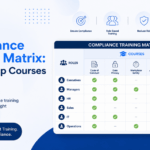
A compliance training matrix is a simple chart that shows who must take which training. Roles or employees sit in the rows, courses sit in the columns, and each box shows the status: required, complete, due, overdue or not applicable.
For example, a finance executive needs anti-bribery training, while a plant operator needs workplace safety training.
With one chart, you can see who needs which course, who has finished it, and who is overdue. An auditor, a manager and an HR lead all read the same answer.
It is not the same as a skills matrix. A skills matrix shows what people can do. A compliance training matrix shows what people must complete, how often, and whether they did it.
Why Role-Based Compliance Training Works Better
Role-based compliance training gives each person the policies and rules that apply to their job, instead of one identical module for the whole company. Risk is not spread evenly. A finance analyst approves payments and vendors. A field technician faces physical hazards. A recruiter handles personal data. Each one makes different decisions every day.
Mapping by role improves three things:
- Relevance. People pay attention when the course matches their work, so they retain more of it.
- Time. Nobody sits through hours of content that never touches their job. That cuts training fatigue.
- Evidence. You can show which roles finished which mandatory courses. That reads far better in an audit than a pile of generic certificates.
How to Build a Compliance Training Matrix in Six Steps
Step 1: List obligations, not just course names
Many teams map a regulation to a course and stop there. That hides the real unit of compliance. Write down the obligation itself: what must be done, by whom, and how you prove it. Pull from laws, client contracts, certifications and internal policies. Then rank them by risk, so the topics that could hurt you most come first.
Step 2: Group people into roles
Use job families, not individual names. Good starting groups are all employees, new joiners, people managers, finance and procurement, IT administrators, and frontline staff. Add a site or location layer where rules differ. Keep the first version to six to ten groups. You can split them later.
Step 3: Map each obligation to roles
For every course, mark each role as required, optional or not applicable. Ask line managers to review the draft. They know what the job involves, and they will spot gaps that HR cannot see from a desk.
Step 4: Set frequency and due dates
Decide when each course repeats: on joining, every year, every two years, or after a specific event. Tie each due date to a trigger, such as the hire date or the last completion date. That way deadlines calculate themselves.
Step 5: Decide what proof you keep
For each course, record the same items: completion date, score or acknowledgement, and expiry date. Consistent proof makes audits quick and renewals easy to spot.
Step 6: Name an owner
Assign one owner per course and one owner for the matrix. Without owners, the grid goes stale within a quarter.
A Sample Role-Based Compliance Matrix
The roles and courses below are examples that show the layout. Your own risk assessment decides what your company needs.
| Role | POSH awareness | Code of conduct | Information security | Anti-bribery | Internal Committee orientation | Workplace safety |
| All employees | Joining + annual | Joining + annual | Joining + annual | Not needed | Not needed | Not needed |
| People managers | Annual, manager module | Annual | Annual | Not needed | Not needed | Not needed |
| Internal Committee members | Annual | Annual | Annual | Not needed | On appointment + refresher | Not needed |
| Finance and procurement | Annual | Annual | Annual | Annual | Not needed | Not needed |
| IT administrators | Annual | Annual | Annual + advanced | Not needed | Not needed | Not needed |
| Plant and field staff | Annual | Joining | Basic | Not needed | Not needed | Joining + refresher |
This matrix is illustrative. Actual course requirements and frequencies depend on jurisdiction, industry, client contracts, workplace risk, and internal policy.
- POSH awareness: Annual refreshers are common practice, not a legally fixed requirement.
- Internal Committee orientation: The refresher interval is an internal policy decision, not a statutory interval.
- Anti-bribery: Annual training is a risk-based internal policy choice, not a universal statutory requirement.
- Workplace safety: Training frequency depends on the hazard, process, equipment, and applicable state or industry requirements.
Notice how POSH awareness and Internal Committee orientation sit in separate columns. In India, Section 19 of the POSH Act requires employers to organise awareness programmes at regular intervals and orientation programmes for Internal Committee members. The Act does not prescribe a fixed annual frequency. Annual refreshers are a common internal practice, not a statutory requirement, so set your own cycle through company policy. Workplaces with more than ten employees must constitute an Internal Committee under the POSH Act. General staff and Internal Committee members need different depth, and a role-based compliance matrix shows that split clearly. This is general information, not legal advice. Confirm current obligations with legal or compliance counsel and official government sources.
Where Spreadsheets Break
A spreadsheet can work for a small team, but becomes difficult to maintain as headcount, locations, and course variety grow. At scale, it requires ongoing manual updates and close ownership. The grid decays for three reasons: regulations change, courses get revised or renamed, and people move between roles. Each change means hand edits, and each hand edit is a chance for an error.
A spreadsheet also sits apart from your completion records. Someone must copy dates across, send reminders by email and chase managers. That work eats time, and it is the first thing that slips when the team gets busy.
How an LMS Automates the Matrix
An LMS can turn the matrix into rules. You define which roles, departments and locations need which courses, and on what schedule. The system can then assign the courses, send reminders, track completion and flag anything overdue. When someone joins or changes roles, the right courses can follow them without a manual step.
Three features matter most for this job:
- Rule-based assignment by role, department and location, so new joiners can be assigned the right courses from day one.
- Renewal alerts and overdue flags, so lapsing certificates are easier to spot.
- Audit records and activity logs, so you can retrieve evidence by role more easily.
NetSkill’s LMS is designed to support these workflows through Audit Trails and Compliance, which provides detailed activity logs, and Competency and Skill Management, which tracks skill gaps and adjusts learning paths. Teams with frontline staff can also use Compliance and Certification Tracking for mandatory training and renewal alerts. For the full picture of what to look for, see our guide to choosing an LMS for compliance training.
An LMS helps operationalise compliance training and maintain evidence, but legal compliance also depends on the underlying obligation, content quality, assessments, retention, and organisational controls.
Keep the Matrix Current
A matrix you build once and forget will fail. Update it whenever one of these events happens:
- A new hire joins or an employee leaves
- Someone changes role, team or location
- A certificate or course expires
- A law, client rule or internal policy changes
- A new process, tool or piece of equipment arrives
On top of event-based updates, set a quarterly review. Ask each course owner to confirm the roles, the frequency and the content are still right. Between reviews, run a monthly report of overdue courses by role. It shows you where the problem sits, so you can talk to the right manager instead of sending a company-wide reminder.
Common Mistakes to Avoid
- Mapping by headcount instead of role. A course for everyone is easy to build but weak on relevance.
- Starting with too many roles. Begin with a handful and refine as you learn.
- Forgetting contract staff, trainees and interns. Many obligations reach them too, so check each rule.
- Treating completion as proof of understanding. For high-risk roles, add a short assessment or scenario check.
- Skipping progression. As someone takes on more responsibility, their compliance scenarios should get deeper.
Final Thoughts
A compliance training matrix gives you a clear answer to a simple question: who needs to learn what, and by when. Start with your obligations, group people into roles, map the courses, and set the rules. Then let your LMS carry the routine work, so your team can spend its time on the people who are falling behind.
Want to see the wider picture? Our guide on LMS for compliance training covers features, renewals and how to choose the right platform.